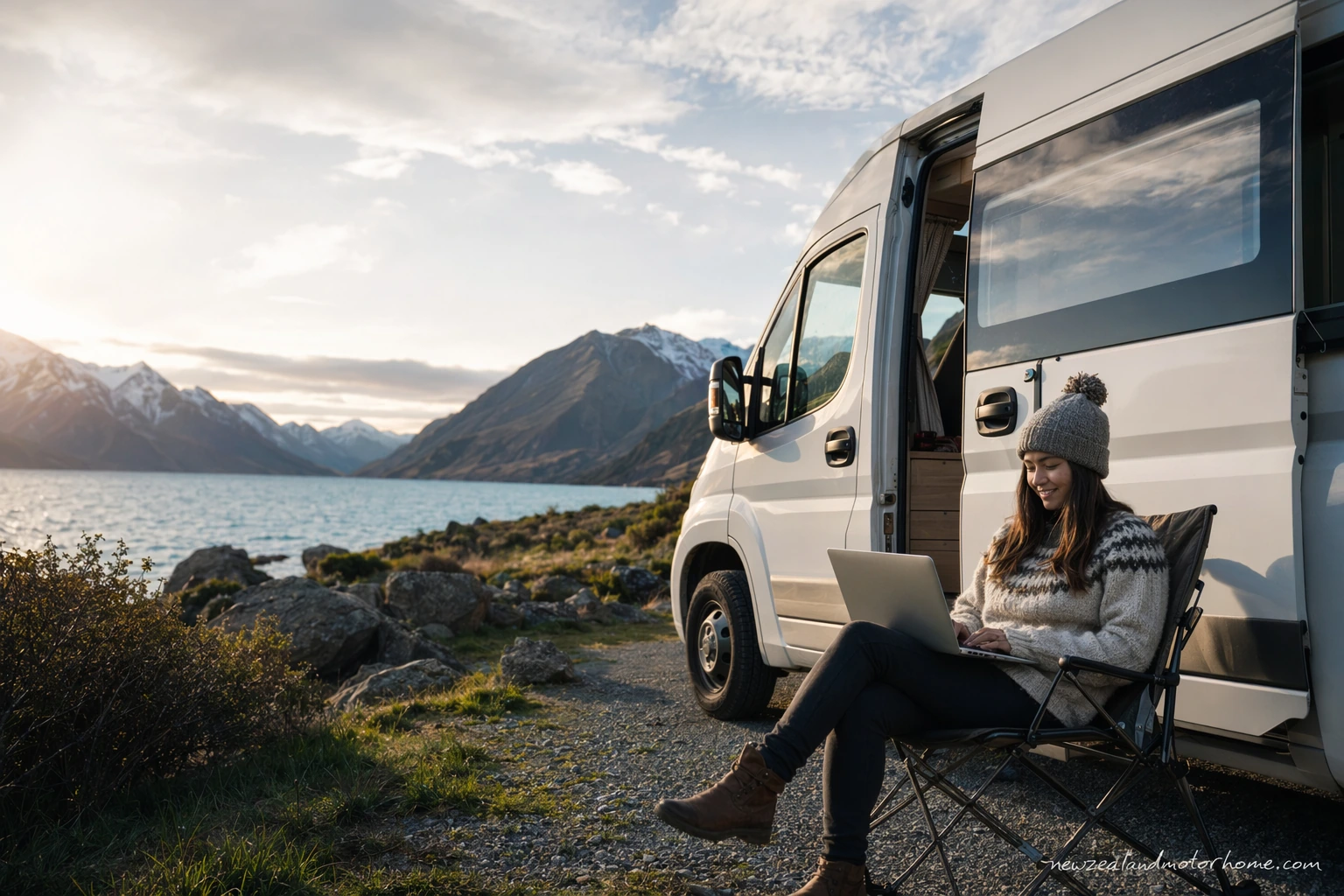
- Best backup: offline maps
- Powered sites help device charging
- Remote camps may have no signal
- Check self-containment rules
- Plan data before rural legs
Campervan wifi new zealand planning is not about being online every minute. It is about knowing when you will have signal, where you can sensibly park the van to use it, and what to download before the road narrows into valleys, coast or high country.
For a self-drive campervan traveller, connectivity affects more than messages home. It helps with weather, road closures, campsite bookings, dump station locations, LPG and fresh-water stops, ferry updates, and checking whether a freedom camping area still allows overnight stays for certified self-contained vehicles.
This guide keeps it practical: mobile data, holiday park WiFi, van power use, offline backups, and the little habits that make a New Zealand motorhome trip calmer when coverage drops out.
What to expect from mobile coverage on a NZ campervan route
New Zealand has good mobile coverage around cities, towns, main highways and many holiday parks, but it is not blanket coverage. Once you drive into fiord country, forested valleys, parts of the West Coast, the Catlins, East Cape, or the more open stretches of the Mackenzie Basin, signal can fade quickly.
That matters in a campervan because your overnight stop may be well beyond the last town. A riverside Department of Conservation-style site or rural freedom camping area can be beautiful and quiet, but often has no WiFi and sometimes no mobile data at all.
- Download offline maps before leaving larger towns.
- Check weather and road conditions while parked in coverage, not halfway through a mountain road.
- Save campsite addresses, gate codes and booking confirmations to your phone.
- Do not rely on live navigation for the last few kilometres into remote overnight stops.
If you need to work, call family at a fixed time, or upload photos, plan those moments around towns, holiday parks, libraries or cafes rather than assuming the next scenic pull-off will have a usable signal.
Mobile data, eSIMs and using your phone as a hotspot
Most campervan travellers keep things simple: a local SIM or eSIM with enough mobile data, then hotspot laptops and tablets from the phone when needed. This works well for route checks, email, banking, campsite bookings and light video calls, provided you are within coverage.
At van pick-up, ask whether your hire vehicle includes any modem, WiFi device or tablet, and whether there are data limits. Also check the charging cable, where the 12V sockets are, and whether the house battery powers them when you are parked or only while driving.
- Keep one phone on a different network if two travellers are carrying separate SIMs; it can help in marginal areas.
- Put the phone or hotspot near a window when parked, rather than buried in a locker.
- Download streaming shows and playlists on campground WiFi before a remote leg.
- Avoid long video calls on unpowered sites if you are already managing battery use.
A powered site is useful if you are catching up on admin because you can charge devices without worrying about the house battery. On an unpowered site, keep screen time and hotspot use sensible, especially if the fridge, lights and water pump are all drawing from the same battery system.
Holiday park WiFi is handy, but your parking spot matters
Holiday parks are often the easiest place to get online because you can combine WiFi, showers, laundry, fresh water, dump station access and a powered site in one stop. The catch is that WiFi quality can vary across a park. A site close to the office or communal kitchen may perform better than a far corner under trees.
When you arrive, park the van where instructed, then test the signal before you unpack awnings, chairs and levelling blocks. If you have a work call or important booking to make, politely ask at check-in whether there is a stronger WiFi area or a common room you can use.
- Powered sites help if you need to charge laptops, camera batteries and hotspot devices overnight.
- Unpowered sites may still have access to park WiFi, but do not assume it.
- Camp kitchens and lounges can be better for uploads than sitting inside a metal-sided van.
- Use park WiFi for updates and backups, but avoid sensitive logins on open networks unless you are protected.
Holiday parks are also a good reset point for the van itself. While you are online, check your next dump station, LPG refill option, fresh-water fill, supermarket stop and overnight rules for the following section of road.
Freedom camping and remote sites: plan to be offline
Freedom camping in New Zealand is often the least connected style of overnighting. If you are staying in a permitted area, make sure your campervan is certified self-contained and that the local rules allow overnight parking. Connectivity is secondary to being legal, tidy and respectful.
Before you leave coverage, check the exact parking boundary, maximum stay, arrival access, toilet requirements and whether the site is suitable for your vehicle length. A long motorhome may not suit every gravel pull-off, narrow access lane or tight coastal parking bay.
- Arrive with fresh water topped up if there is no tap on site.
- Empty your grey and black water at an approved dump station before remote nights.
- Check LPG levels before heading into areas with few services.
- Save freedom camping rules as screenshots in case the local app will not load.
Once parked, treat weak signal as a bonus. Remote nights are better when you have already told someone your plan, downloaded maps, checked the forecast and chosen tomorrow's fuel, water and dump-station stops.
Van gear, power and satellite options
A campervan is a small moving power system, so connectivity gear needs to fit that reality. Phones, hotspots and tablets are easy to manage. Laptops, camera chargers and satellite internet equipment draw more power, which matters on unpowered nights or when the weather reduces solar input.
Some travellers carry a portable satellite internet kit for work-heavy trips. It can be useful in open areas, but it needs a clear view of the sky, safe placement, and enough power. It is not something to set up on the roadside shoulder or use while the van is moving.
- Ask your hire operator before attaching anything to the roof or exterior of the vehicle.
- Park satellite gear away from vehicle tracks, puddles and trip hazards.
- Use it at a proper overnight site, not in a no-stopping zone or narrow scenic bay.
- Pack cables away before wind, rain or kea curiosity becomes a problem.
If you are planning to work several days from the road, build the itinerary around powered sites every few nights. That gives you reliable charging, proper tables, showers, laundry and the chance to reset the van before the next scenic stretch.
A sensible connectivity plan before you drive
The easiest approach is to mark your route in sections: connected towns, low-signal scenic drives, and overnight stops. Do the online jobs in the towns, enjoy the remote drives without chasing bars, and keep a printed or downloaded backup for the essentials.
Good connectivity planning sits alongside normal motorhome planning. Check where you will fill fresh water, empty waste, buy groceries, refill LPG, park legally overnight and avoid roads that are unsuitable for your vehicle height, length or weight. If you want help tying those details together, you can share your draft route through our trip-planning step and we will look at it from a campervan point of view.
- Before each remote leg, download maps and campsite details.
- Book popular holiday parks while you still have reliable data.
- Keep important documents available offline.
- Let someone know if you are heading into a long no-coverage area.
The goal is not perfect WiFi. It is a trip where the van, the route and your devices all work together, so a patch of no signal feels like part of the drive rather than a problem.
Common questions
Will my campervan hire include WiFi in New Zealand?
Some campervans may include a WiFi device or offer one as an add-on, but do not assume it. Ask what is included, whether there is a data cap, how it charges, and whether it works away from mobile coverage.
Is holiday park WiFi reliable enough for video calls?
Sometimes, but not always. Holiday park WiFi can slow down in the evening or be weaker at sites far from reception, so choose a powered site near common areas if you have an important call.
Can I rely on mobile data while freedom camping?
No. Many legal freedom camping spots are rural, coastal or tucked behind hills, so coverage can be patchy or absent. Download rules, maps and booking details before you leave town.
Does a powered site mean I will have better internet?
Not necessarily. A powered site gives you reliable charging for phones, laptops and hotspots, but the internet signal depends on the holiday park WiFi layout or local mobile coverage.
Should I get a local SIM or use roaming?
For many travellers, a local SIM or eSIM is a practical choice for maps, campsite bookings and hotspot use. Compare data allowances before you travel and make sure your phone is unlocked and compatible.
What should I download before driving into remote areas?
Download offline maps, campsite confirmations, ferry or activity details, weather checks, road notes, and the locations of your next dump station, fresh-water tap, LPG refill and fuel stop.
Have a planner shape this for your dates
Send a short outline — your dates, party size, and the kind of trip you want. A planner replies with a vehicle recommendation, a paced route, and the realistic budget.